Junify uses Incognito mode. Chrome doesn't allow using third-party cookies at Incognito mode, but Microsoft Teams requires using cookies from several different domains when it runs on browser. In this case, you may see the error below.
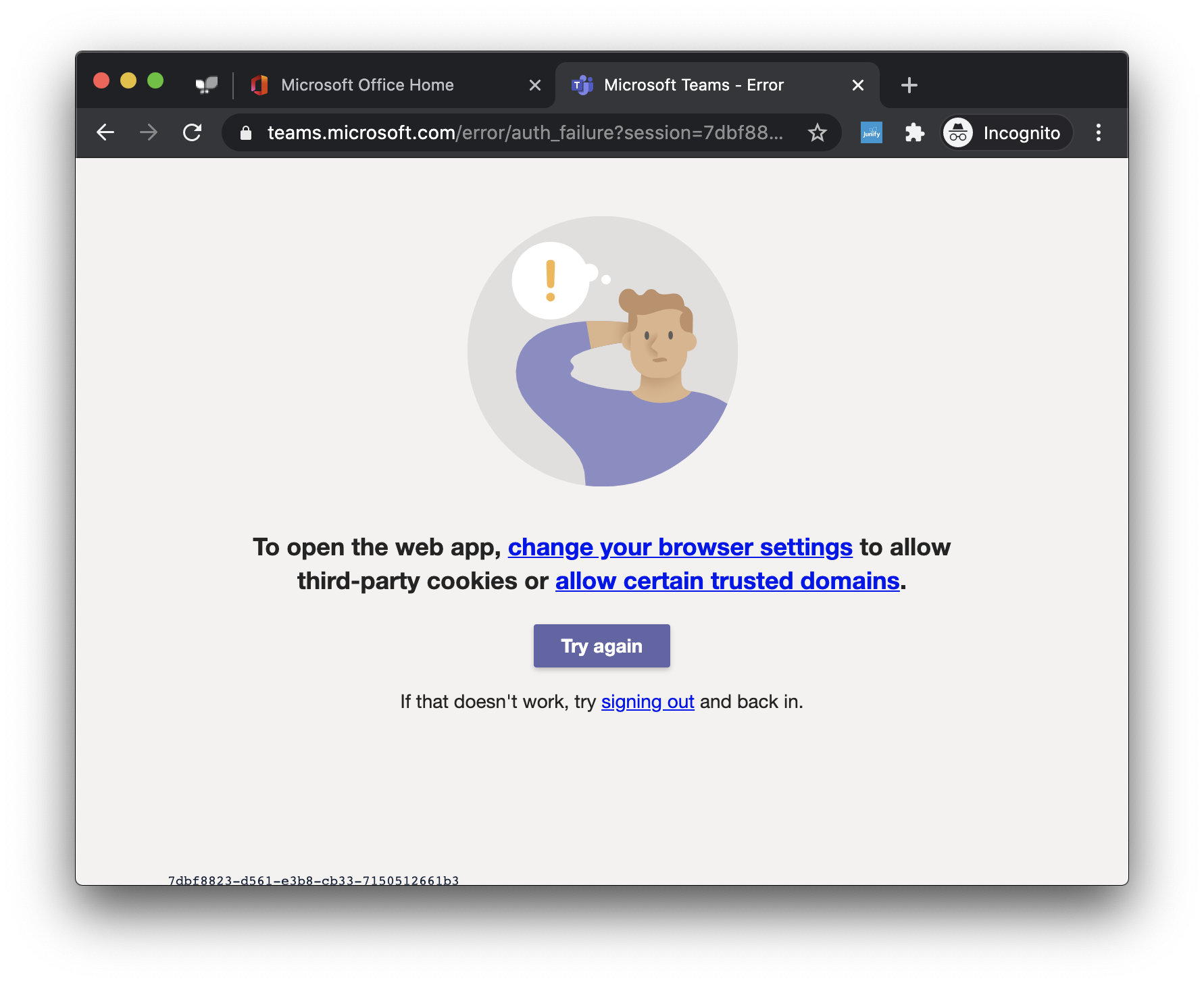
It can be fixed by adding six domains listed below on the domain list which is allowed to use cookies.
[*.]microsoft.com
[*.]microsoftonline.com
[*.]teams.skype.com
[*.]teams.microsoft.com
[*.]sfbassets.com
[*.]skypeforbusiness.com
Setting for Chrome
1. Go to setting, and select "Cookies and other site data"
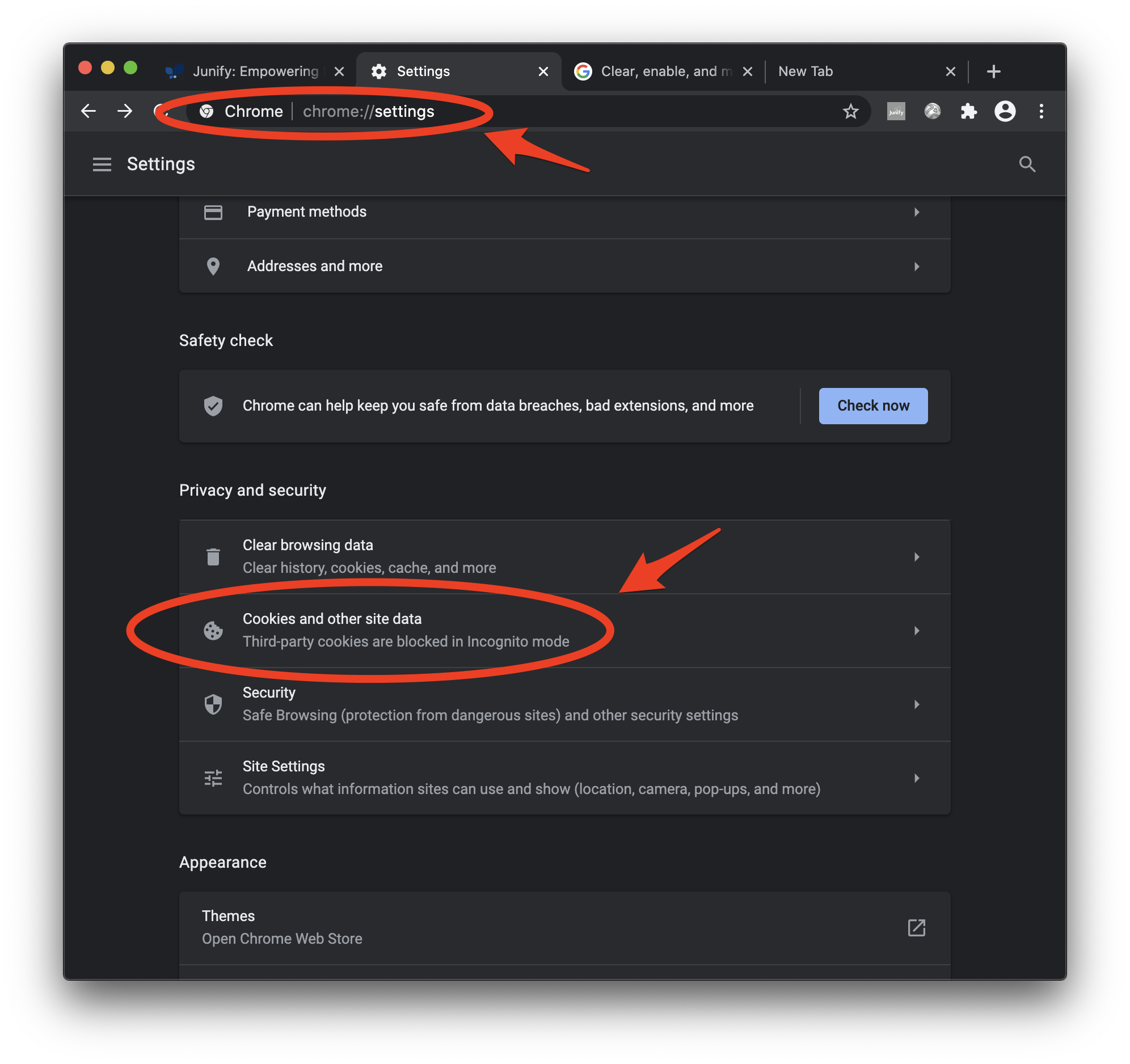
2. Go to the "Sites that can always use cookies" section, and clock "Add"
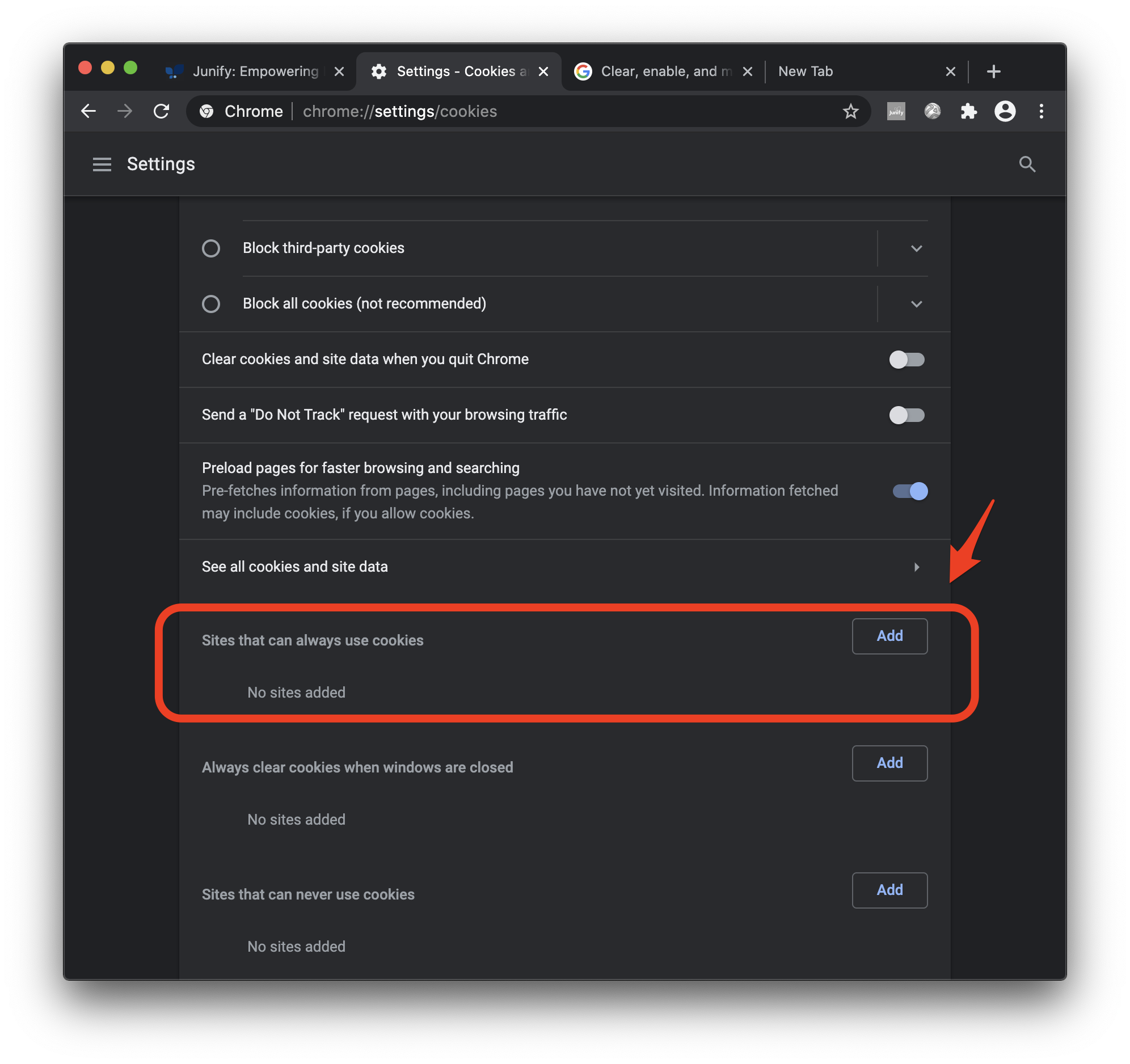
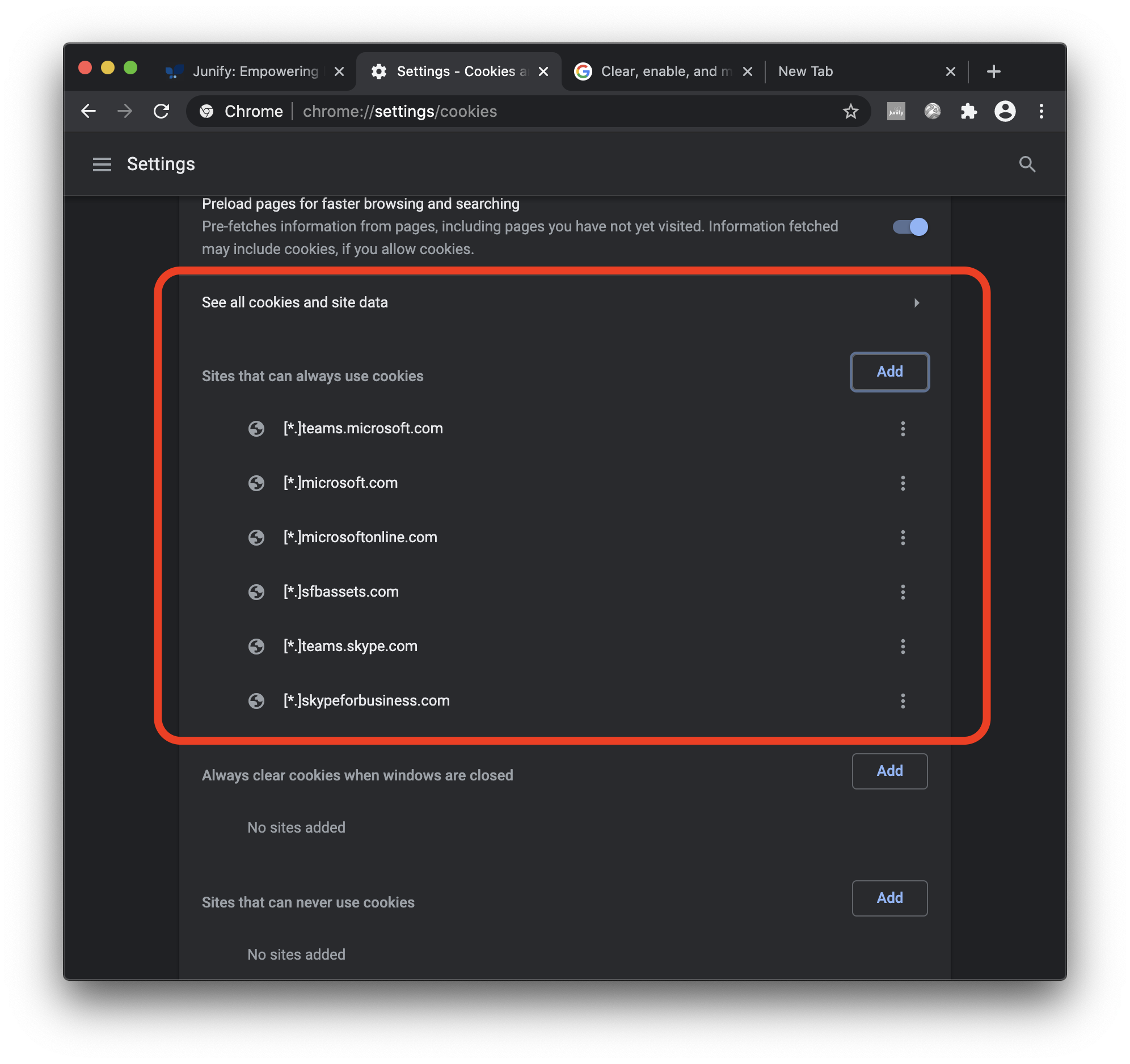
3. Add 6 domains above

4. Completed! You are now ready for using MS Teams on Junify
References
Microsoft website
https://docs.microsoft.com/en-us/microsoftteams/troubleshoot/teams-sign-in/sign-in-loop#resolution
Chrome setting
https://support.google.com/chrome/answer/95647