Once the Junify App is configured for a user, it acts as a key for account and resource access. If you are giving the phone away (and not resetting the entire phone to factory settings), you will want to reset and clear your Junify App of any installed configuration. These instructions provide a guide to deleting the Junify App data whether it is from your phone or one that is given to you with somoene else's configuration.
1. iPhone
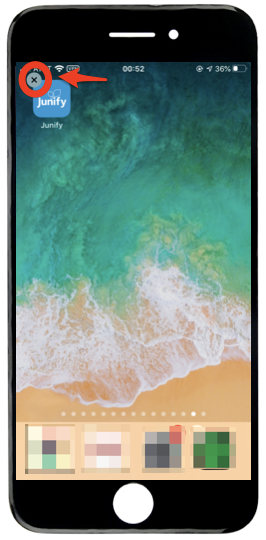
Hold down on the Junify App until the "x" appears in the top left of the icon. Click the "x" to delete the Junify app from the iPhone. Then, re-install Junify from App Store.
2 Android Devices
You can reset Junify by deleting the data left in the device saved by Junify app.
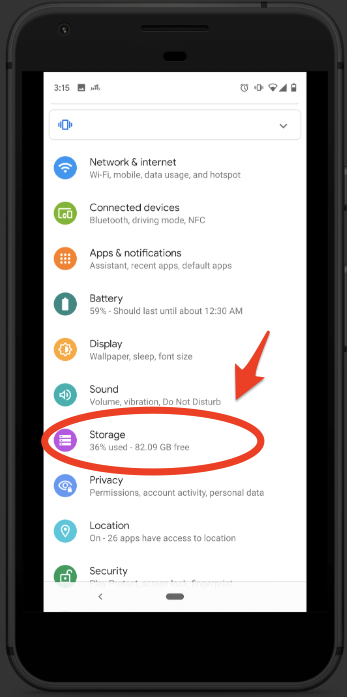
Open the system settings on your Android device and find the "Storage" menu.
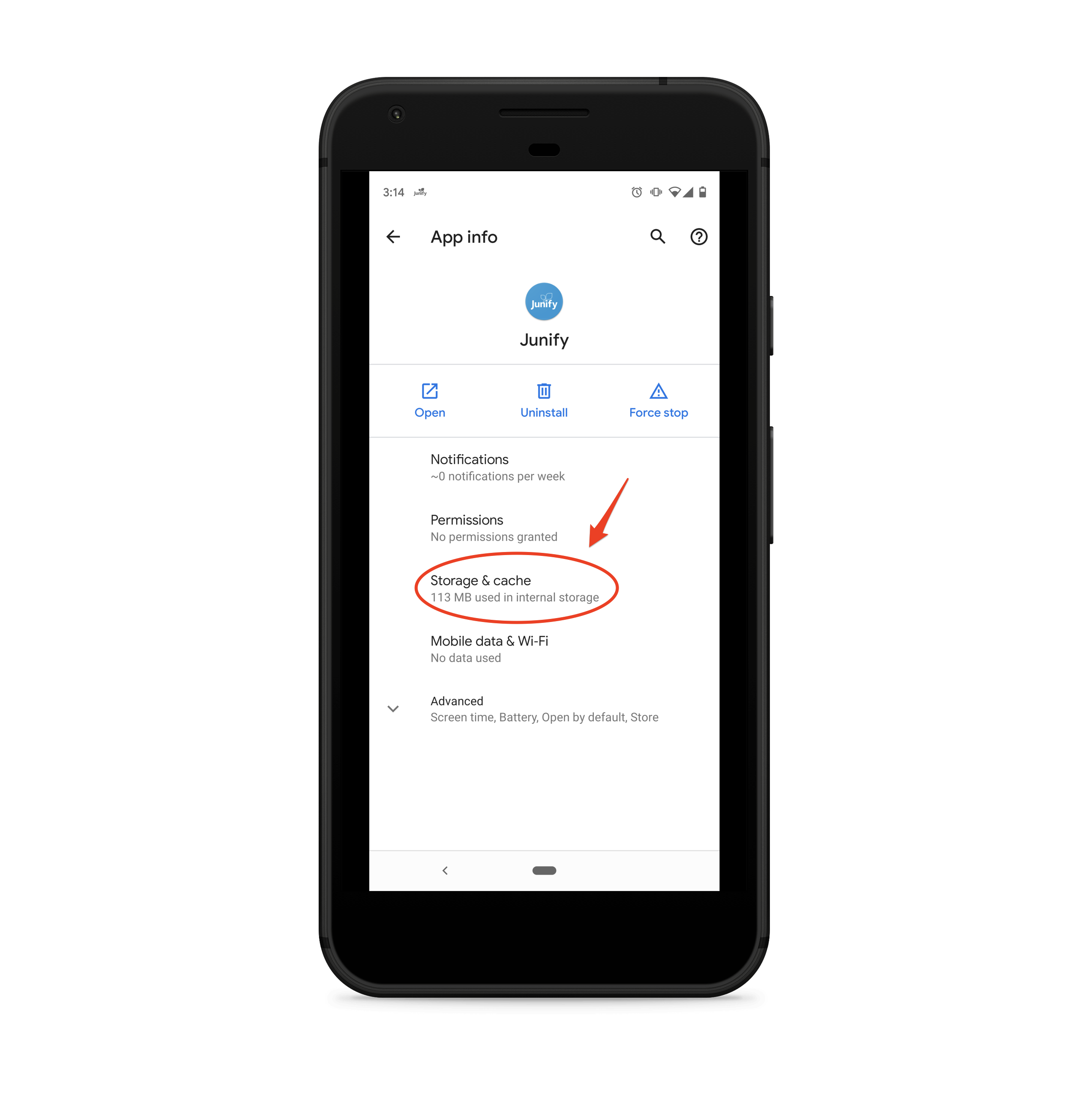
Find Junify from the application list and then tap it. Then, tap the "Storage & Cache" menu on the Junify app details screen.
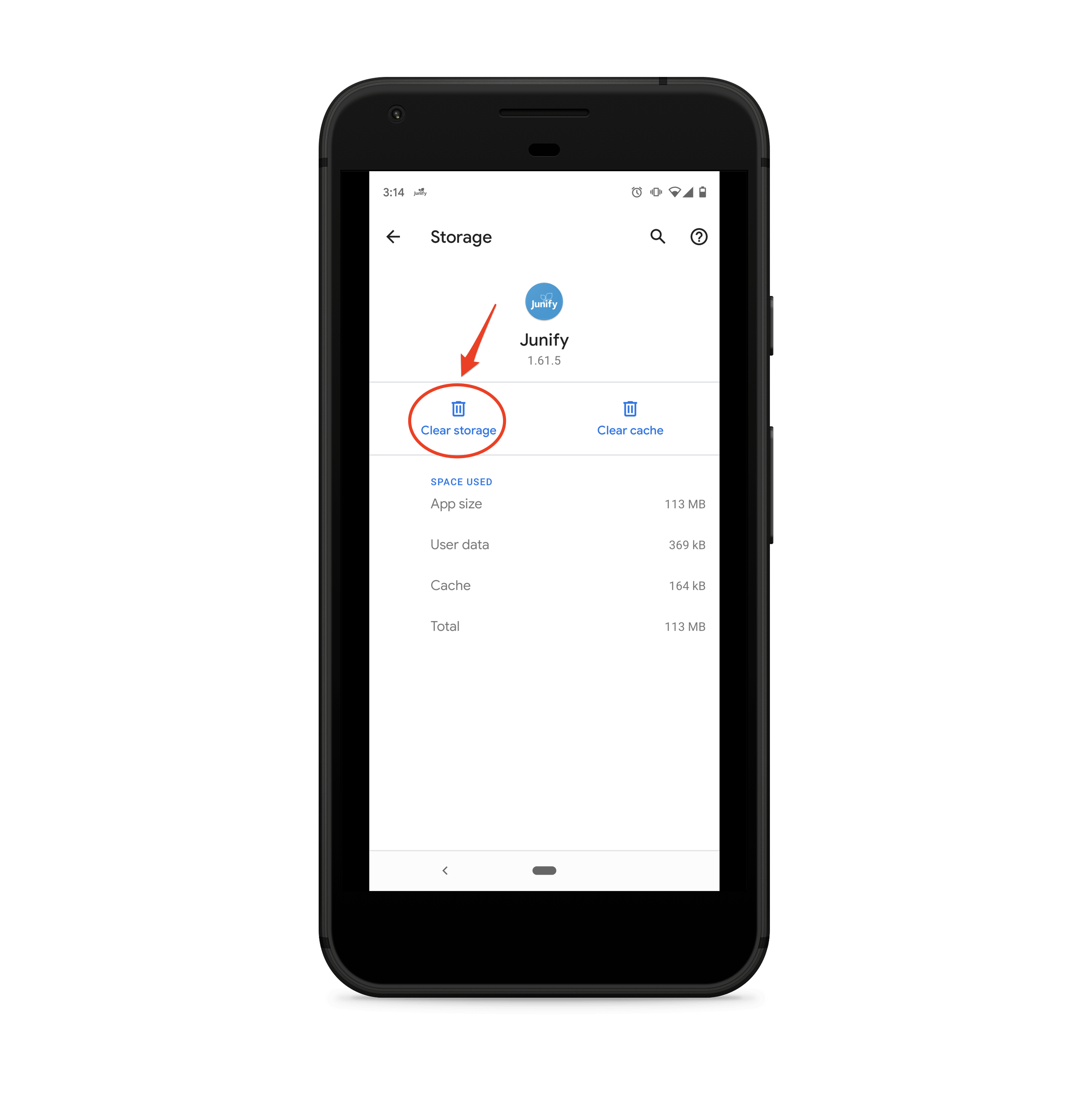
Tap the "Clear storage" button to delete all of the Junify data left in the device.
You have finished resetting Junify app. A new member can now use the device to sign up on Junify.